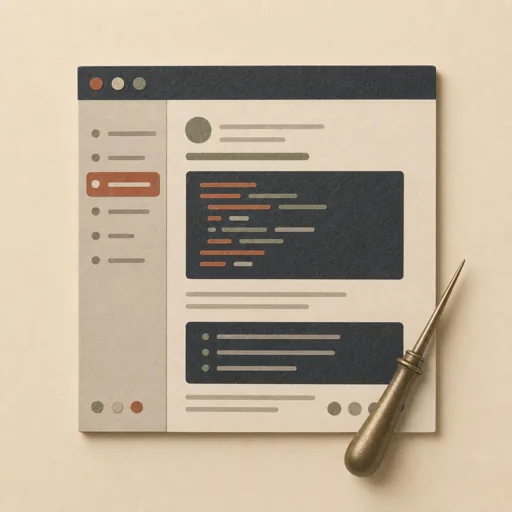
Documentation Site
Build a single-page documentation site with a sidebar table of contents, anchored sections, code blocks, and in-page navigation — the kind of reference page a library or API ships. Locks the information architecture (the section tree and ordering) first, then a readable docs visual design with good typography and code styling, then builds the HTML with working anchor links and a sticky sidebar. Getting the IA right before layout is what makes docs findable; a small model that jumps straight to HTML produces an unnavigable wall of text.
Steps
Entry step: ia. Each step names the specialist role it wants; the full working prompt is expandable.
- Information architectureplannerentry
section tree, ordering, anchors
Show working prompt
Design the information architecture. (1) Define the top-level sections (e.g. Overview, Install, Quickstart, API, Examples, FAQ) and any sub-sections, in a logical learning order. (2) Assign each section a stable anchor id. (3) Decide what belongs in the sidebar TOC and the nesting depth. (4) Note which sections need code blocks. (5) Write an acceptance-criteria checklist of 5-8 items, e.g. 'every sidebar link scrolls to its section', 'sections follow the locked order', 'code blocks are visually distinct', 'sidebar stays visible while scrolling on desktop', 'responsive collapse on mobile', 'no broken anchors'. Write the section tree and checklist to {{workPath}}/ia.md and via write_task_note. No design or HTML yet. The deliverable `{{workPath}}/ia.md` lands in the project's artifacts drawer — write it with `write_artifact` and read it back with `read_artifact`; the shipped workspace stays untouched. - Visual designdesigner
docs typography, code styling, sidebar layout
Show working prompt
Design for readability. (1) Pick a content palette (hex) with strong text contrast and a max content width for comfortable line length. (2) Choose a type scale for headings/body and a monospace treatment for inline and block code (background, padding, overflow). (3) Lay out the sticky sidebar TOC and the main content column, and how they reflow on mobile (collapsible nav). (4) Specify link, active-section, and heading-anchor styles. (5) Self-contained CSS, no external assets. Write the visual spec to {{workPath}}/visual-design.md and via write_task_note. No HTML yet. The deliverable `{{workPath}}/visual-design.md` lands in the project's artifacts drawer — write it with `write_artifact` and read it back with `read_artifact`; the shipped workspace stays untouched. - Builddeveloper
implement index.html with sidebar + anchors
Show working prompt
Implement index.html with inline CSS/JS to the IA and visual spec. (1) Render the sidebar TOC with links to each section's anchor id. (2) Render the sections in the locked order with the right heading levels and anchor ids so links jump correctly. (3) Style code blocks distinctly with overflow handling. (4) Make the sidebar sticky on desktop and collapsible on mobile (a small JS toggle is fine); optionally highlight the active section on scroll. (5) Constrain content width; responsive at 375px and 1280px; vanilla only, no CDN. On a loop-back, fix only the named gaps without regressing passing criteria. write_task_note the path and passing criteria.
- Evaluatereviewer
Grade the deliverable against every acceptance criterion. All pass → finish; any fail → loop back and fix the gap.
Show working prompt
Evaluate the docs site. Open/render index.html, click every sidebar link, and resize to 375px and 1280px. Check EACH criterion from {{workPath}}/ia.md and write PASS/FAIL with a reason: does every sidebar link scroll to its section (no broken anchors), are sections in the locked order, are code blocks distinct, does the sidebar stay visible on desktop and collapse on mobile, is line length comfortable? Any broken anchor is a FAIL — loop back to build. Then route — this is the whole point of the loop: - **Every criterion PASSES →** call `advance_task_step({ ref, stepId: "evaluate", next: "finish" })`. - **Any criterion FAILS →** write the specific gaps to notes, then call `advance_task_step({ ref, stepId: "evaluate", next: "build" })` to loop back. The builder fixes exactly those gaps. Never route to `finish` while any criterion is unmet. The build phase's completion gate already blocked a grossly-incomplete deliverable; your job is the judgment an automated check cannot make (does it actually work, read well, look right). After ~3 unproductive loops, stop and report DONE_WITH_CONCERNS so the user can step in. - Finishdeveloper
All acceptance criteria met. Stamp a short summary and report DONE.
Show working prompt
Every acceptance criterion passed. Write a one-paragraph DONE summary to task notes via `write_task_note`: what was built, the deliverable path(s), and a one-line confirmation that each criterion is met. Then report DONE.
Triggers
Phrases that suggest this craftbook to a crew.
- documentation site
- docs page
- api reference page
- build docs
- developer documentation
- guide page
Source
View this craftbook on GitHub · MIT license