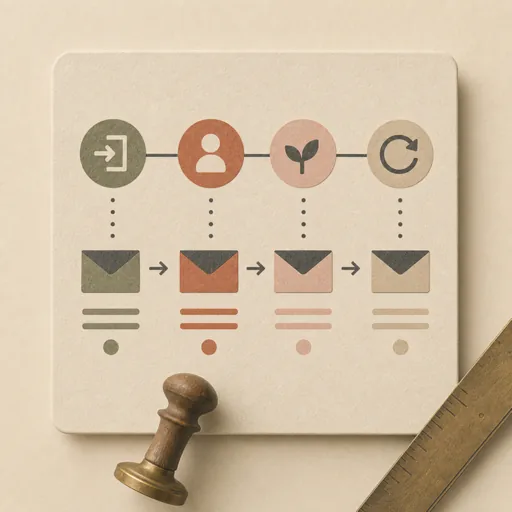
Lifecycle Email Sequence
Design and build a multi-email lifecycle sequence (welcome, onboarding, nurture, re-engagement) that moves a subscriber from one stage to the next: it first maps the customer journey — entry trigger, the goal of each email, send timing/cadence, and the one CTA per email — then drafts every email's subject line, preview text, and body to its single goal, then builds the sequence into a client-safe, inline-styled HTML email set ready to load into an ESP. Covers email sequence, drip campaign, welcome series, onboarding emails, nurture sequence, and lifecycle marketing. Journey-mapping before writing is the point: a small model that assigns each email one job and one CTA avoids the redundant sequence where every email says the same thing and asks for everything at once.
Steps
Entry step: journey-scope. Each step names the specialist role it wants; the full working prompt is expandable.
- Journey scopeplannerentry
map the sequence: trigger, per-email goal, cadence, one CTA each
Show working prompt
1) Define the sequence type and entry trigger (e.g. signed up, abandoned cart, went inactive). 2) Define the end goal (activate, convert, re-engage). 3) Lay out the emails in order — for EACH email specify: its single goal, send timing/delay (e.g. Day 0, Day 2, Day 5), the one CTA, and the key message. Each email does ONE job. 4) Note the audience and tone. Write an acceptance-criteria checklist (e.g. 'each email has exactly one goal and one CTA'; 'no two emails are redundant'; 'cadence/timing specified per email'; 'subject lines are distinct and curiosity/benefit-driven'; 'the arc progresses toward the end goal'; 'unsubscribe link present in each'). Use write_task_note for the journey map + per-email plan + checklist, and write the same to the produces path. No email copy yet. The deliverable `{{workPath}}/journey-scope.md` lands in the project's artifacts drawer — write it with `write_artifact` and read it back with `read_artifact`; the shipped workspace stays untouched. - Draft the emailscopywriter
write each email to its single goal and CTA
Show working prompt
Write every email in the sequence to its mapped goal. 1) For each email provide: subject line (<=50 chars, distinct from the others), preview/preheader text (<=90 chars), and body. 2) The body serves the email's ONE goal and drives its ONE CTA — do not cram in unrelated asks. 3) Make the sequence progress: later emails build on earlier ones, none is redundant. 4) Keep a consistent brand voice, short scannable paragraphs, and a single primary CTA button per email. 5) Record each email's send timing from the map. Save the drafted copy (with email number, timing, subject, preview, body, CTA) to the produces path as structured markdown. Note which checklist items pass. The deliverable `{{workPath}}/draft.md` lands in the project's artifacts drawer — write it with `write_artifact` and read it back with `read_artifact`; the shipped workspace stays untouched. - Build the email setdeveloper
render the sequence to client-safe inline-styled HTML
Show working prompt
Build the approved copy into a deliverable, client-safe HTML email sequence in a single index.html. 1) Render each email as its own clearly separated section/block within the page (with a heading like 'Email 1 — Day 0 — subject'), so the whole sequence is previewable in one file. 2) Use email-safe HTML: inline styles only (no external CSS or <style> reliance), table-based layout where needed, web-safe fonts, and absolute links. 3) Include the subject and preview text as labeled metadata, a single prominent CTA button per email, and an unsubscribe link in each email's footer. 4) Keep it responsive at common widths. On a loop-back, fix only the named gaps. Save to the produces path (index.html) and note the email count.
- Evaluatereviewer
Grade the deliverable against every acceptance criterion. All pass → finish; any fail → loop back and fix the gap.
Show working prompt
Open index.html (render it if a browser/QA capability is available; otherwise read the source) and grade against the checklist. Check EACH criterion and write PASS/FAIL: (a) every planned email is present as a labeled section with subject + preview + body; (b) each email has exactly one CTA and one goal; (c) no two emails are redundant and the arc progresses toward the end goal; (d) subject lines are distinct and within length; (e) styles are inline/email-safe (no reliance on external CSS); (f) an unsubscribe link is present in each email. A sequence where emails are redundant or use non-email-safe CSS FAILS — loop back to build. Then route — this is the whole point of the loop: - **Every criterion PASSES →** call `advance_task_step({ ref, stepId: "evaluate", next: "finish" })`. - **Any criterion FAILS →** write the specific gaps to notes, then call `advance_task_step({ ref, stepId: "evaluate", next: "build" })` to loop back. The builder fixes exactly those gaps. Never route to `finish` while any criterion is unmet. The build phase's completion gate already blocked a grossly-incomplete deliverable; your job is the judgment an automated check cannot make (does it actually work, read well, look right). After ~3 unproductive loops, stop and report DONE_WITH_CONCERNS so the user can step in. - Finishdeveloper
All acceptance criteria met. Stamp a short summary and report DONE.
Show working prompt
Every acceptance criterion passed. Write a one-paragraph DONE summary to task notes via `write_task_note`: what was built, the deliverable path(s), and a one-line confirmation that each criterion is met. Then report DONE.
Triggers
Phrases that suggest this craftbook to a crew.
- build an email sequence
- welcome email series
- drip campaign
- nurture sequence
- onboarding emails
Source
View this craftbook on GitHub · MIT license