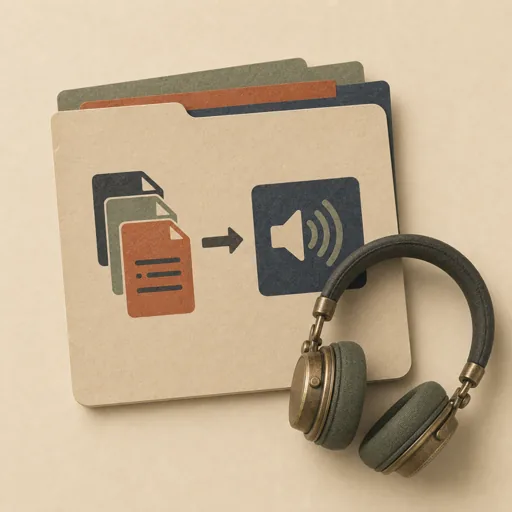
Text-to-Speech a Folder
Turn a folder of text files (articles, chapters, notes, markdown) into a set of spoken audio files using text-to-speech, so a reading list becomes a listening list. Scopes the voice, file mapping, and chunking rules FIRST so long inputs do not get truncated or mispronounced, then synthesizes one audio artifact per source file with a consistent voice, then verifies every file was rendered and is audible. The scope-before-synthesize ordering is the point: deciding chunk size, file naming, and a manifest up front is what keeps a batch TTS run complete and re-runnable instead of half-finished.
Steps
Entry step: scope. Each step names the specialist role it wants; the full working prompt is expandable.
- Scope the synthesis runplannerentry
voice, file mapping, chunking, output manifest
Show working prompt
Plan the batch BEFORE synthesizing anything. Step 1: list the source folder and record every text file (path, byte size). Step 2: pick ONE voice/engine (record the exact voice id and language) so all outputs sound consistent. Step 3: decide the input->output mapping (e.g. `article-01.md` -> `audio/article-01.mp3`) and the audio format/sample rate. Step 4: decide a chunking rule for long files (split on paragraph/sentence boundaries under the engine's character limit, then concatenate) so nothing is truncated. Step 5: decide pronunciation/normalization rules (expand numbers, abbreviations, URLs spoken-or-skipped). Write an acceptance-criteria checklist (one audio file per source file, all use the same voice, none is silent/zero-length, a manifest maps source->output->duration, long files are fully spoken not truncated) and the decisions to `{{workPath}}/scope.md` via write_task_note AND to the produces path. The deliverable `{{workPath}}/scope.md` lands in the project's artifacts drawer — write it with `write_artifact` and read it back with `read_artifact`; the shipped workspace stays untouched. - Synthesize the audiodeveloper
render one audio file per source file with the locked voice
Show working prompt
Render the audio to satisfy the scope. Step 1: for each source file, read its text and apply the normalization rules from scope. Step 2: split into chunks under the engine's limit on sentence boundaries, synthesize each chunk with the locked voice, and concatenate into the single mapped output file under `audio/`. Step 3: write outputs incrementally (one finished file at a time) so progress is observable and a crash is resumable. Step 4: as you go, append a row to `audio/manifest.json` or a manifest table: source path, output path, voice id, approximate duration, byte size. Do not skip files; do not change voice mid-batch. On a loop-back, re-render only the files the reviewer flagged (missing, silent, truncated) and leave passing files untouched. write_task_note the audio directory path and a coverage count (rendered vs source files).
- Evaluatereviewer
Grade the deliverable against every acceptance criterion. All pass → finish; any fail → loop back and fix the gap.
Show working prompt
Verify the batch is complete and audible. Step 1: count audio files in `audio/` vs source text files — every source must have an output (PASS/FAIL coverage). Step 2: confirm none is zero-length/silent (check byte size > a sane floor; sample-listen if an audio capability exists). Step 3: confirm the manifest maps each source->output with a plausible duration. Step 4: spot-check that the LONGEST source produced audio whose duration is consistent with its length (not truncated). Step 5: confirm all files share the locked voice/format. Write PASS/FAIL per criterion. Then route — this is the whole point of the loop: - **Every criterion PASSES →** call `advance_task_step({ ref, stepId: "evaluate", next: "finish" })`. - **Any criterion FAILS →** write the specific gaps to notes, then call `advance_task_step({ ref, stepId: "evaluate", next: "synthesize" })` to loop back. The builder fixes exactly those gaps. Never route to `finish` while any criterion is unmet. The build phase's completion gate already blocked a grossly-incomplete deliverable; your job is the judgment an automated check cannot make (does it actually work, read well, look right). After ~3 unproductive loops, stop and report DONE_WITH_CONCERNS so the user can step in. - Finishdeveloper
All acceptance criteria met. Stamp a short summary and report DONE.
Show working prompt
Every acceptance criterion passed. Write a one-paragraph DONE summary to task notes via `write_task_note`: what was built, the deliverable path(s), and a one-line confirmation that each criterion is met. Then report DONE.
Triggers
Phrases that suggest this craftbook to a crew.
- convert text to audio
- text to speech a folder
- narrate my articles
- make audio from text files
- tts batch
Source
View this craftbook on GitHub · MIT license