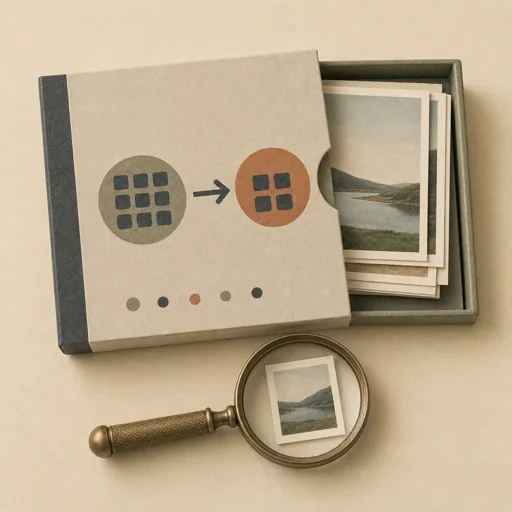
Batch Image Transform
Apply a consistent transform across a whole folder of images — resize, crop to a ratio, convert format, compress, watermark, or recolor — and verify every file came out correct. Scope the exact transform and a verification rule FIRST (target dimensions, format, quality, naming) so the batch is deterministic and reproducible, then process every file and prove the output count, dimensions, and format match the spec. Covers bulk image processing, resizing, format conversion, compression, watermarking, and folder-wide edits.
Steps
Entry step: scope. Each step names the specialist role it wants; the full working prompt is expandable.
- Scope the transformplannerentry
lock the exact transform, output spec, and verify rule
Show working prompt
1) List the source folder and count/inventory the files and their current formats and sizes. 2) Lock the EXACT transform: target dimensions or max-edge, crop/fit behavior (cover vs contain vs pad), output format and quality, color/orientation handling (respect EXIF rotation), and any watermark. 3) Decide the output location and naming (in-place vs an out/ folder; suffix vs same name). 4) Write an acceptance-criteria checklist: 'every source image has exactly one output', 'all outputs are <format>', 'all outputs are <= target dimensions / exactly <ratio>', 'no output is larger in bytes than its source when compressing', 'originals are preserved if requested'. 5) Record transform + checklist via write_task_note AND to {{workPath}}/scope.md. Good looks like: a spec precise enough to script. The deliverable `{{workPath}}/scope.md` lands in the project's artifacts drawer — write it with `write_artifact` and read it back with `read_artifact`; the shipped workspace stays untouched. - Process the folderdeveloper
apply the transform to every file
Show working prompt
1) Read scope.md. 2) Prefer writing a small reproducible script (e.g. using ImageMagick/sharp/Pillow if available) over manual one-offs, so the batch is repeatable and nothing is missed. 3) Iterate every source file deterministically; apply the exact transform, honoring fit behavior and EXIF orientation. 4) Write outputs to the agreed location with the agreed names; preserve originals if requested. 5) Skip or log (never silently drop) any file that fails to decode, and report it. 6) Keep a running output count. 7) write_task_note the output folder and the in/out counts. Good looks like: one correctly-transformed output per input, produced by a rerunnable command.
- Verify the batchreviewer
confirm count, dimensions, and format per file
Show working prompt
1) Re-read scope.md's checklist. 2) Count outputs vs inputs — they must match (or match minus any explicitly-logged failures). 3) Sample 4-5 outputs and inspect actual dimensions and format against the spec (use an identify/probe tool or open them). 4) When compressing, confirm output bytes <= source bytes. 5) Confirm originals are intact if preservation was required. 6) Write a verification note: PASS/FAIL per criterion with the measured numbers. On a loop-back the processor fixes only the failing files. write_task_note the verification result. The deliverable `{{workPath}}/verify.md` lands in the project's artifacts drawer — write it with `write_artifact` and read it back with `read_artifact`; the shipped workspace stays untouched. - Evaluatereviewer
Grade the deliverable against every acceptance criterion. All pass → finish; any fail → loop back and fix the gap.
Show working prompt
1) Open out/ and count files vs the source inventory in scope.md — must match (PASS/FAIL). 2) Probe 4-5 outputs: are dimensions and format exactly per spec (PASS/FAIL)? 3) For compression jobs, confirm outputs are smaller than sources. 4) Confirm originals preserved if required. 5) Read verify.md and reconcile its claims with what you actually observe. 6) Write PASS/FAIL per criterion. Any mismatch → loop back to process to fix the offending files. Then route — this is the whole point of the loop: - **Every criterion PASSES →** call `advance_task_step({ ref, stepId: "evaluate", next: "finish" })`. - **Any criterion FAILS →** write the specific gaps to notes, then call `advance_task_step({ ref, stepId: "evaluate", next: "process" })` to loop back. The builder fixes exactly those gaps. Never route to `finish` while any criterion is unmet. The build phase's completion gate already blocked a grossly-incomplete deliverable; your job is the judgment an automated check cannot make (does it actually work, read well, look right). After ~3 unproductive loops, stop and report DONE_WITH_CONCERNS so the user can step in. - Finishdeveloper
All acceptance criteria met. Stamp a short summary and report DONE.
Show working prompt
Every acceptance criterion passed. Write a one-paragraph DONE summary to task notes via `write_task_note`: what was built, the deliverable path(s), and a one-line confirmation that each criterion is met. Then report DONE.
Triggers
Phrases that suggest this craftbook to a crew.
- batch edit images
- resize a folder of images
- convert image formats
- compress images
- bulk image transform
Source
View this craftbook on GitHub · MIT license