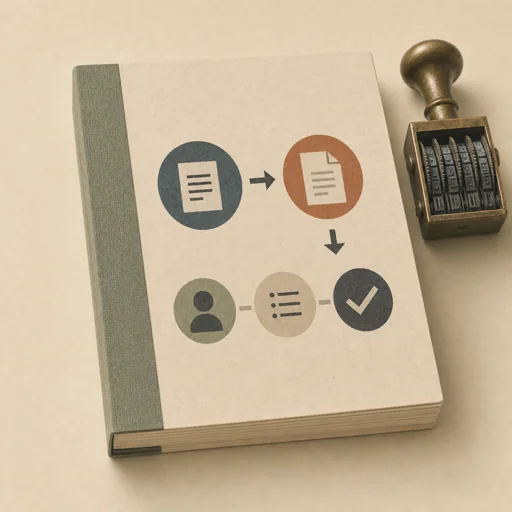
Monthly Invoice Run
Run the month's invoicing in one calm pass from the office's own books: an invoice per client built from the tracked work in the ledger, numbering that continues the sequence without a skip or a repeat, due dates per each client's terms, everything recorded as sent — plus a one-page summary of what went out. Unlike a one-off invoice generator, this is the standing monthly ritual over the client roster and ledger, ending in print-ready invoices and updated books. Use for the monthly invoice run, end-of-month invoicing, 'bill the clients for this month', and closing the billing month.
Steps
Entry step: scope. Each step names the specialist role it wants; the full working prompt is expandable.
- Scope the runkantoormeesterentry
billable clients from the books; write the machine billables list
Show working prompt
Read the books before any invoice exists. Step 1: read clients.json and ledger.json from the workspace. Step 2: work out which clients have tracked, uninvoiced work this month, and the next invoice number — it continues the last issued number with no skip and no repeat. Step 3: write {{workPath}}/scope.md — an acceptance-criteria checklist: one invoice per billable client (none invented), every amount traces to a ledger entry, numbers continue the sequence, due dates match each client's terms, and any client with no work is skipped on purpose. Step 4: write {{workPath}}/billables.json — a top-level JSON ARRAY (nothing wrapping it) with ONE object per billable client, each object EXACTLY these keys: {"client": the client's name, "number": the invoice number for this client as a string, "rate": the total amount owed this month as a string, "work": a short description of the tracked work, "due": the due date computed from the client's terms}. Assign each client the next number in the running sequence — no skip, no repeat. The crew reads this file to draft the invoices, so the numbers and amounts must be exact. Call write_task_note with the billable count and the numbers you assigned. Store `{{workPath}}/billables.json`, `{{workPath}}/scope.md` in the artifacts drawer with `write_artifact` and verify them with `read_artifact`; do not write these working files to the workspace. Both `{{workPath}}/scope.md` and `{{workPath}}/billables.json` are artifact outputs; use `write_artifact` for each. - Draft the invoiceskantoormeester
fan out one invoice draft per billable client
Show working prompt
The crew drafts the invoices — one print-ready HTML file per billable client, each built from {{workPath}}/billables.json. This step fans the work out to the crew automatically; you do not draft the invoices yourself. Open `{{workPath}}/billables.json` with `read_artifact` before working. Store `{{workPath}}/draft.md` in the artifacts drawer with `write_artifact` and verify them with `read_artifact`; do not write these working files to the workspace. The runtime reads `{{workPath}}/billables.json` with `read_artifact` and records `{{workPath}}/draft.md` with `write_artifact`; do not copy either file into the workspace. - Collect and summarizecopywriter
verify the invoice files and write the run summary
Show working prompt
The crew has drafted one invoice file per billable client under invoices/. Read {{workPath}}/billables.json and the files in invoices/, then write report.md — the month's run summary: Step 1: a headline sentence with how many invoices went out and the total billed. Step 2: one line per invoice — number, client, amount, due date. Step 3: state the sequence issued (from-to) and confirm it continues the books with no gap. Step 4: name any client skipped this month and why. Keep it to one page. Call write_task_note with the report path and the total billed. If fewer invoice files than billable clients exist yet, the crew is still drafting — re-check invoices/ and finish only once every billable client has its file. Open `{{workPath}}/billables.json` with `read_artifact` before working. - Evaluatereviewer
Grade the run against every acceptance criterion. All pass -> finish; any fail -> loop back to draft.
Show working prompt
Open the invoice files under invoices/, {{workPath}}/billables.json, and report.md, and verify every criterion from {{workPath}}/scope.md: every billable client has exactly one invoice file of its own, every amount traces to the ledger, the numbers continue the sequence with no skip or repeat, due dates match each client's terms, and report.md names any client skipped on purpose. Write PASS/FAIL per criterion. Then route — this is the whole point of the loop: - Every criterion PASSES -> call advance_task_step({ ref, stepId: "evaluate", next: "finish" }). - Any criterion FAILS -> write the specific gaps to notes, then call advance_task_step({ ref, stepId: "evaluate", next: "draft" }) to loop back so the missing or wrong invoice is redrafted. Never route to finish while any criterion is unmet. After ~3 unproductive loops, stop and report DONE_WITH_CONCERNS so the user can step in. Open `{{workPath}}/billables.json`, `{{workPath}}/scope.md` with `read_artifact` before working. - Finishdeveloper
All acceptance criteria met. Stamp a short summary and report DONE.
Show working prompt
Every acceptance criterion passed. Write a one-paragraph DONE summary to task notes via write_task_note: the invoices issued, the sequence range, and the total billed. Then report DONE.
Triggers
Phrases that suggest this craftbook to a crew.
- run the monthly invoices
- end of month invoicing
- bill the clients for this month
- invoice run
- send this month's invoices
Source
View this craftbook on GitHub · MIT license