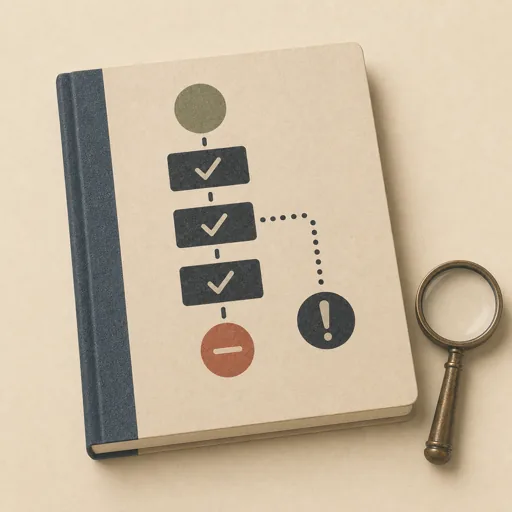
Execute an Ops Runbook
Execute a written operational procedure step by step with verification and a stop-on-anomaly rule. Inventories the runbook and its preconditions FIRST, then executes each step in order — act, verify the step's own check, record verbatim evidence in a run log — halting immediately when observed state does not match what the procedure expects, then writes an outcome report (clean completion, or a halt report naming the failing step, expected vs. observed, and the steps deliberately not executed). Recording verbatim evidence and refusing to run past an anomaly is the wisdom that separates a trustworthy operator from one who papers over broken state.
Steps
Entry step: inventory. Each step names the specialist role it wants; the full working prompt is expandable.
- Inventory the runbookresearcherentry
read the procedure end-to-end, list steps and checks, confirm preconditions
Show working prompt
Read the entire procedure BEFORE executing anything. Step 1: locate the runbook document in the workspace and read it end-to-end; if steps are numbered, keep their numbering. Step 2: for each procedure step, write down the action, the verification check that proves it worked, and the exact evidence the procedure asks you to record (values, identifiers, checksums — these must later appear verbatim in the run log). Step 3: confirm the preconditions — the files and state the procedure assumes exist — by reading them now; name anything missing. Step 4: note the procedure's own reporting conventions (the run-log path, any halt/outcome report it names) — you will honor those exact paths. Step 5: restate the stop rule in one line: at the first verification mismatch, STOP — no later step runs, no entry is invented. Write the inventory to {{workPath}}/runbook-inventory.md and call write_task_note with a two-line summary. Do NOT execute any procedure step yet. Store `{{workPath}}/runbook-inventory.md` in the artifacts drawer with `write_artifact` and verify them with `read_artifact`; do not write these working files to the workspace. - Execute and recordresearcher
per step: act, verify, record verbatim evidence; STOP at the first anomaly
Show working prompt
Execute the procedure strictly in order, one step at a time. For each step: (a) perform exactly the action written — no substitutions, no combining steps; (b) run the step's verification check by reading the actual state it names; (c) append a heading for that step to runlog.md (also write to any run-log path the procedure itself names) recording the evidence VERBATIM — the exact values, identifiers, and checksums you observed, copied character-for-character, never paraphrased. STOP-ON-ANOMALY: the moment a verification does not match what the procedure expects, record that step as FAILED with expected vs. observed (both verbatim), and STOP — do not execute any later step, do not write any later step's outputs, and never invent a log entry for a step that did not run. A halted run with an honest log is a correct execution of this phase; running past a mismatch is the failure mode. Call write_task_note with how far the run got and whether it halted.
- Report the outcomeresearcher
COMPLETED summary or HALTED report with expected vs. observed
Show working prompt
Write the outcome report. Step 1: state the status on the first line of {{workPath}}/outcome.md — COMPLETED (every step executed and verified) or HALTED (stopped at an anomaly). Step 2: if HALTED, name the failing step by number, quote expected vs. observed VERBATIM from the run log, list the steps that were deliberately not executed, and recommend only what the procedure itself prescribes for a halt — no speculative fixes. Step 3: if the procedure names its own outcome or halt report (for example halt-report.md), write that file too, at exactly the path it names, carrying the same facts. Step 4: cross-check the report against runlog.md — every claim in the report must appear in the log. Call write_task_note with the status line, then report DONE.

Store `{{workPath}}/outcome.md` in the artifacts drawer with `write_artifact` and verify them with `read_artifact`; do not write these working files to the workspace.
Triggers
Phrases that suggest this craftbook to a crew.
- run the runbook
- execute this procedure
- follow the maintenance procedure
- run this checklist
- execute the runbook steps
Source
View this craftbook on GitHub · MIT license