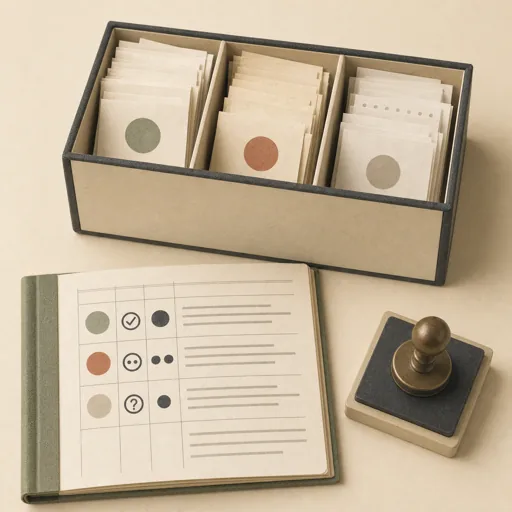
Receipt Intake
Empty the shoebox inbox properly: every waiting receipt becomes a dated, categorized ledger entry that names its source file, likely duplicates get flagged instead of double-counted, and the genuinely ambiguous ones become owner questions instead of guesses. Locks the intake rules FIRST, then works the inbox receipt by receipt, then reports the totals and the question list — the year-round habit that makes April an afternoon. Use for receipt intake, emptying the receipt inbox, 'get these into the ledger', and monthly shoebox catch-ups.
Steps
Entry step: scope. Each step names the specialist role it wants; the full working prompt is expandable.
- Scope the intakeclerkentry
inbox listing, ledger categories, intake rules locked
Show working prompt
Define the intake before recording a single entry. Step 1: list the receipt notes waiting in inbox/ and read ledger.json from the workspace — the existing categories, the recent entries, and how entries are shaped. Step 2: lock the intake rules — one ledger entry per receipt; every entry records the source file it came from; a receipt that looks like one already in the ledger (same vendor, date, and amount) is flagged as a likely duplicate, never silently entered again; a receipt whose category is genuinely unclear becomes a question for the owner instead of a guess. Step 3: write an acceptance-criteria checklist ('every inbox receipt produced an entry, a duplicate flag, or an owner question', 'every new entry carries date, amount, category, and source', 'amounts copied exactly from the receipt, never rounded or invented', 'the report totals what was processed and lists every question'). Call write_task_note with the inbox count + rules + checklist and write {{workPath}}/scope.md. No entries yet. The deliverable `{{workPath}}/scope.md` lands in the project's artifacts drawer — write it with `write_artifact` and read it back with `read_artifact`; the shipped workspace stays untouched. - Work the inboxdata-analyst
one entry per receipt, duplicates flagged, questions parked
Show working prompt
Work the inbox against the locked rules, one receipt at a time. Step 1: read each receipt note in inbox/ and pull the vendor, date, and exact amount, and pick the most sensible category from the ledger's existing set. Step 2: record each clear receipt as a ledger entry through the project's ledger capabilities — date, amount, category, and the source file it came from. Step 3: where a receipt matches an existing entry on vendor, date, and amount, flag it as a likely duplicate and do not enter it again; where the category is genuinely ambiguous, park it as an owner question with your best two candidate categories instead of guessing. Step 4: keep a running log in {{workPath}}/intake.md — per receipt: what it was, what you did (entered, flagged, question), and why. Call write_task_note with the entered/flagged/question counts. The deliverable `{{workPath}}/intake.md` lands in the project's artifacts drawer — write it with `write_artifact` and read it back with `read_artifact`; the shipped workspace stays untouched. - Write the intake reportcopywriter
counts, totals by category, the question list
Show working prompt
Write the intake report from the run log. Step 1: open with the headline — how many receipts came in, how many became entries, how many were flagged or parked as questions. Step 2: give the totals of what was entered this run, by category, computed from the entries themselves. Step 3: list every owner question with the receipt it belongs to and your best candidate answers, so the owner can clear the list in one pass. Step 4: note anything that looked off — a likely duplicate, an amount that seems wrong for its vendor, a receipt too faded to trust — plainly and without alarm. Step 5: keep it short and warm; this is a chore done well, not an audit. Write {{workPath}}/report.md and call write_task_note with the entered/flagged/question counts. The deliverable `{{workPath}}/report.md` lands in the project's artifacts drawer — write it with `write_artifact` and read it back with `read_artifact`; the shipped workspace stays untouched. - Evaluatereviewer
Grade the deliverable against every acceptance criterion. All pass → finish; any fail → loop back and fix the gap.
Show working prompt
Open {{workPath}}/report.md, {{workPath}}/intake.md, and the ledger and verify every criterion from {{workPath}}/scope.md: every inbox receipt is accounted for as an entry, a duplicate flag, or an owner question; every new entry carries date, amount, category, and its source file; every entered amount matches its receipt exactly (spot-check three against the inbox notes); the report's totals trace to the entries; and every owner question appears in the report. Write PASS/FAIL per criterion; on any failure, name the gap and loop back to report. The deliverable lives in the project's artifacts drawer — open `{{workPath}}/report.md` with `read_artifact`, not `read_file`. Then route — this is the whole point of the loop: - **Every criterion PASSES →** call `advance_task_step({ ref, stepId: "evaluate", next: "finish" })`. - **Any criterion FAILS →** write the specific gaps to notes, then call `advance_task_step({ ref, stepId: "evaluate", next: "report" })` to loop back. The builder fixes exactly those gaps. Never route to `finish` while any criterion is unmet. The build phase's completion gate already blocked a grossly-incomplete deliverable; your job is the judgment an automated check cannot make (does it actually work, read well, look right). After ~3 unproductive loops, stop and report DONE_WITH_CONCERNS so the user can step in. - Finishdeveloper
All acceptance criteria met. Stamp a short summary and report DONE.
Show working prompt
Every acceptance criterion passed. Write a one-paragraph DONE summary to task notes via `write_task_note`: what was built, the deliverable path(s), and a one-line confirmation that each criterion is met. Then report DONE.
Triggers
Phrases that suggest this craftbook to a crew.
- process the receipt inbox
- get these receipts into the ledger
- empty the shoebox
- log this month's receipts
- receipt intake
Source
View this craftbook on GitHub · MIT license