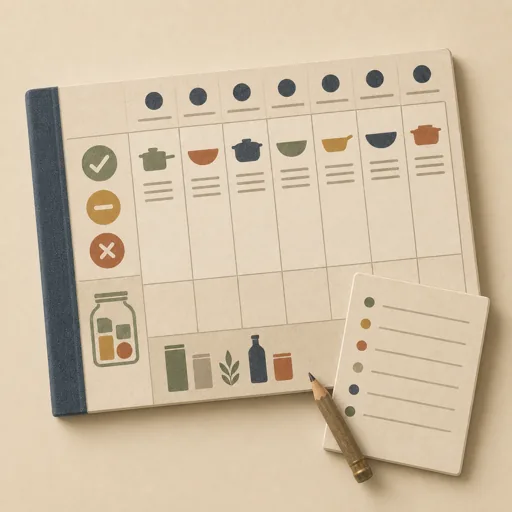
Plan the Week's Dinners
Turn the pantry's real state into a planned week of dinners and one grocery list: check what is stocked, low, and out, plan seven dinners that use what is on hand and fit the household's tastes and schedule, write the menu onto the week, and produce a grocery list that covers the gaps. Locks the household constraints and the pantry picture FIRST, then plans the menu, then writes the list — so the weekly food question is answered once, on purpose, instead of nightly at 5pm. Use for weekly meal planning, menu planning, grocery list making, and 'what are we eating this week'.
Steps
Entry step: scope. Each step names the specialist role it wants; the full working prompt is expandable.
- Scope the weekplannerentry
pantry picture, household constraints, week shape
Show working prompt
Define the week before planning a single meal. Step 1: read pantry.json and menu.json from the workspace — what is stocked, what is low or out, and whether any dinners are already set for the week. Step 2: confirm the household constraints with the owner — how many people, dietary lines that cannot be crossed, nights that need a fast meal or no meal (out, leftovers), and anything they are tired of. Step 3: set the planning rules — prefer meals that use stocked and low items before they turn, repeat no main protein two nights running, at most N new-recipe nights. Step 4: write an acceptance-criteria checklist ('all seven nights planned or explicitly marked out/leftovers', 'each dinner names its main ingredients', 'every ingredient not stocked appears on the grocery list', 'the list is grouped for one store walk', 'constraints respected on every night'). Call write_task_note with the pantry gap count + constraints + checklist and write {{workPath}}/scope.md. The deliverable `{{workPath}}/scope.md` lands in the project's artifacts drawer — write it with `write_artifact` and read it back with `read_artifact`; the shipped workspace stays untouched. - Plan the menuchef
seven dinners against the pantry and the constraints
Show working prompt
Plan the seven dinners against the locked rules. Step 1: draft the week — a dinner per night, honoring the fast-night and out-night shape, using stocked and low pantry items first. Step 2: for each dinner, list the main ingredients and mark which are on hand versus needed. Step 3: sanity-check variety (proteins, cuisines, effort spread across the week) and swap where it clumps. Step 4: confirm the draft with the owner and adjust. Step 5: write the confirmed menu onto the week through the project's kitchen capabilities (set each day's dinner), write the per-dinner ingredient breakdown to {{workPath}}/menu.md, and call write_task_note with the seven dinners in one line each. The deliverable `{{workPath}}/menu.md` lands in the project's artifacts drawer — write it with `write_artifact` and read it back with `read_artifact`; the shipped workspace stays untouched. - Write the grocery listcopywriter
one gap-covering list, grouped for the store
Show working prompt
Write the grocery list from the menu and the pantry. Step 1: collect every menu ingredient marked needed, plus every pantry item at low or out that the household actually uses. Step 2: dedupe and size the quantities to the week (and note which low staples are worth topping up while there). Step 3: group the list the way a store walks — produce, meat/fish, dairy, dry goods, frozen, household. Step 4: put the week's menu at the top of the page so the list explains itself at the store. Step 5: keep it one page. Write {{workPath}}/report.md and call write_task_note with the item count. The deliverable `{{workPath}}/report.md` lands in the project's artifacts drawer — write it with `write_artifact` and read it back with `read_artifact`; the shipped workspace stays untouched. - Evaluatereviewer
Grade the deliverable against every acceptance criterion. All pass → finish; any fail → loop back and fix the gap.
Show working prompt
Open {{workPath}}/report.md and {{workPath}}/menu.md and verify every criterion from {{workPath}}/scope.md: all seven nights are planned or explicitly out/leftovers, each dinner names its main ingredients, every needed ingredient (and every low/out staple in use) appears exactly once on the grocery list, the list is store-grouped, and every night respects the household constraints. Cross-check the written week against the menu store — the days set through the kitchen capabilities must match the report. Write PASS/FAIL per criterion; on any failure, name the gap and loop back to list. The deliverable lives in the project's artifacts drawer — open `{{workPath}}/report.md` with `read_artifact`, not `read_file`. Then route — this is the whole point of the loop: - **Every criterion PASSES →** call `advance_task_step({ ref, stepId: "evaluate", next: "finish" })`. - **Any criterion FAILS →** write the specific gaps to notes, then call `advance_task_step({ ref, stepId: "evaluate", next: "list" })` to loop back. The builder fixes exactly those gaps. Never route to `finish` while any criterion is unmet. The build phase's completion gate already blocked a grossly-incomplete deliverable; your job is the judgment an automated check cannot make (does it actually work, read well, look right). After ~3 unproductive loops, stop and report DONE_WITH_CONCERNS so the user can step in. - Finishdeveloper
All acceptance criteria met. Stamp a short summary and report DONE.
Show working prompt
Every acceptance criterion passed. Write a one-paragraph DONE summary to task notes via `write_task_note`: what was built, the deliverable path(s), and a one-line confirmation that each criterion is met. Then report DONE.
Triggers
Phrases that suggest this craftbook to a crew.
- plan the week's dinners
- weekly meal plan
- what are we eating this week
- make a grocery list
- menu for the week
Source
View this craftbook on GitHub · MIT license